INSTALLING
Latest version: 8.1.14
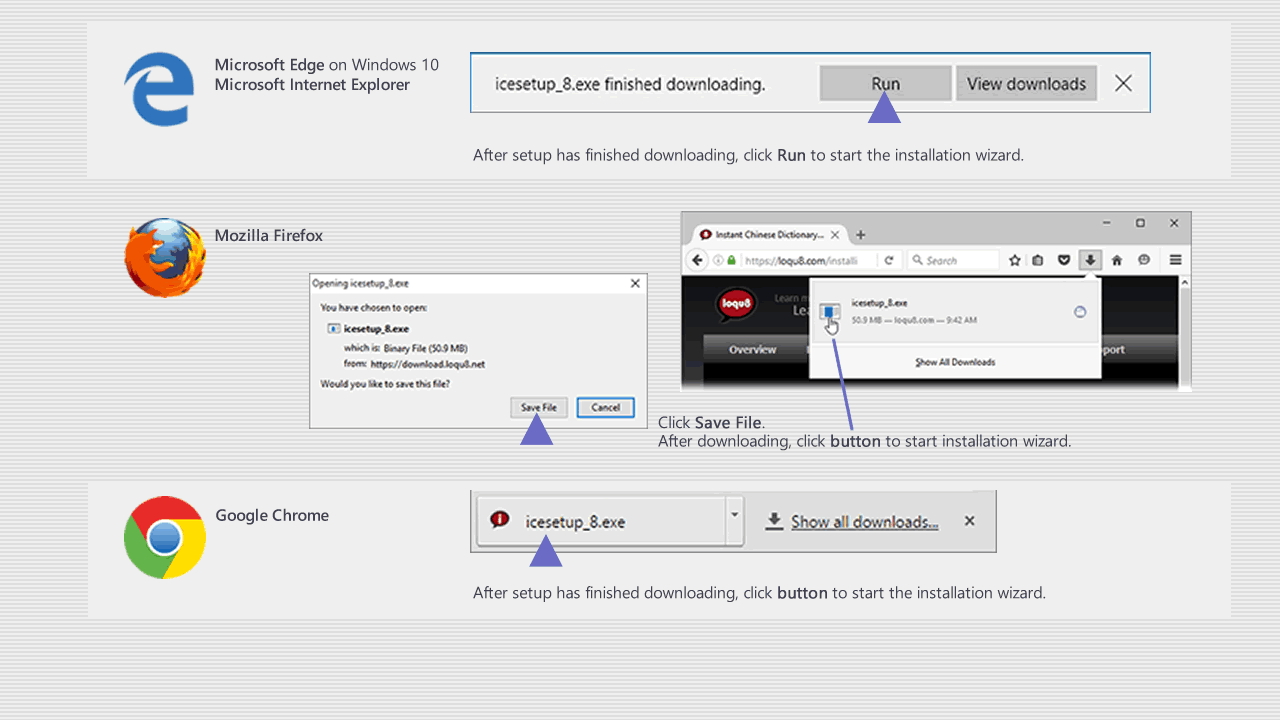
A. Wait for iCE 8 installer to begin downloading. (Not downloading?
Re-try download)
B. Depending on your browser, click Run or Save File (see below)
C. Double-click icesetup_8.1.14.exe to install iCE 8
Follow the on-screen instructions or refer to the Installation Guide.
NEXT