Copyworks Manual
Printable Chinese character practice sheets for children and beginners.
Contents
Copyworks turns any Chinese text into printable practice sheets for children and beginners. You can use your children’s names, a poem, a Bible verse or a vocabulary list, and Copyworks lays out each character with guide grids, tone colors and its stroke order. It also makes flash tiles, slides and six printable games from the same characters.
Getting started
- Download Copyworks for Windows, macOS or Linux from the Copyworks page, or install it from one of the app stores listed there.
- Open it. No account is needed, and everything works offline.
- Choose your language when Copyworks asks. This sets both the menus and the dictionary, and you can change it later in Format.
- Type or paste Chinese text into the box at the top left.
- Print the worksheet, or save it as a PDF.
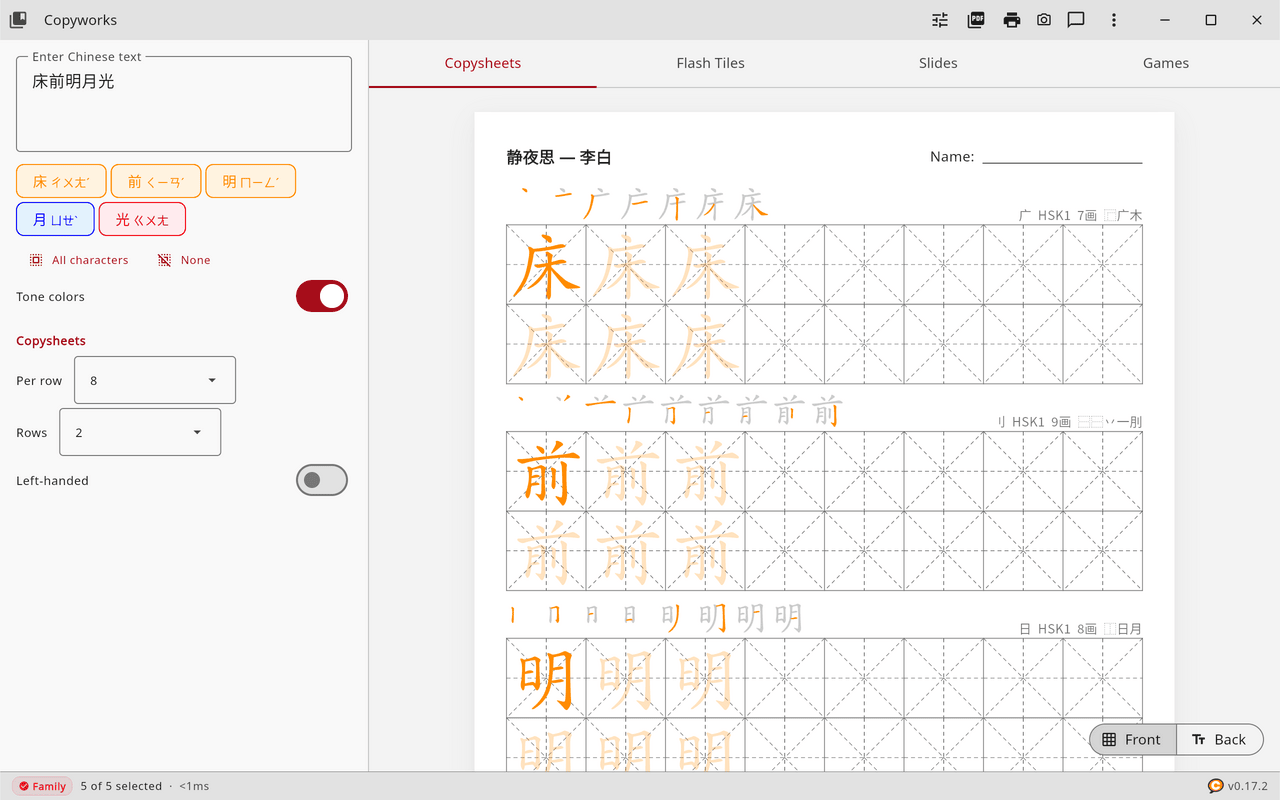
The first time Copyworks opens, it shows the line 床前明月光 from a well-known Tang poem, so that you see a finished worksheet at once. From your first edit onward, Copyworks reopens with the text you used last.
The screen
On a computer
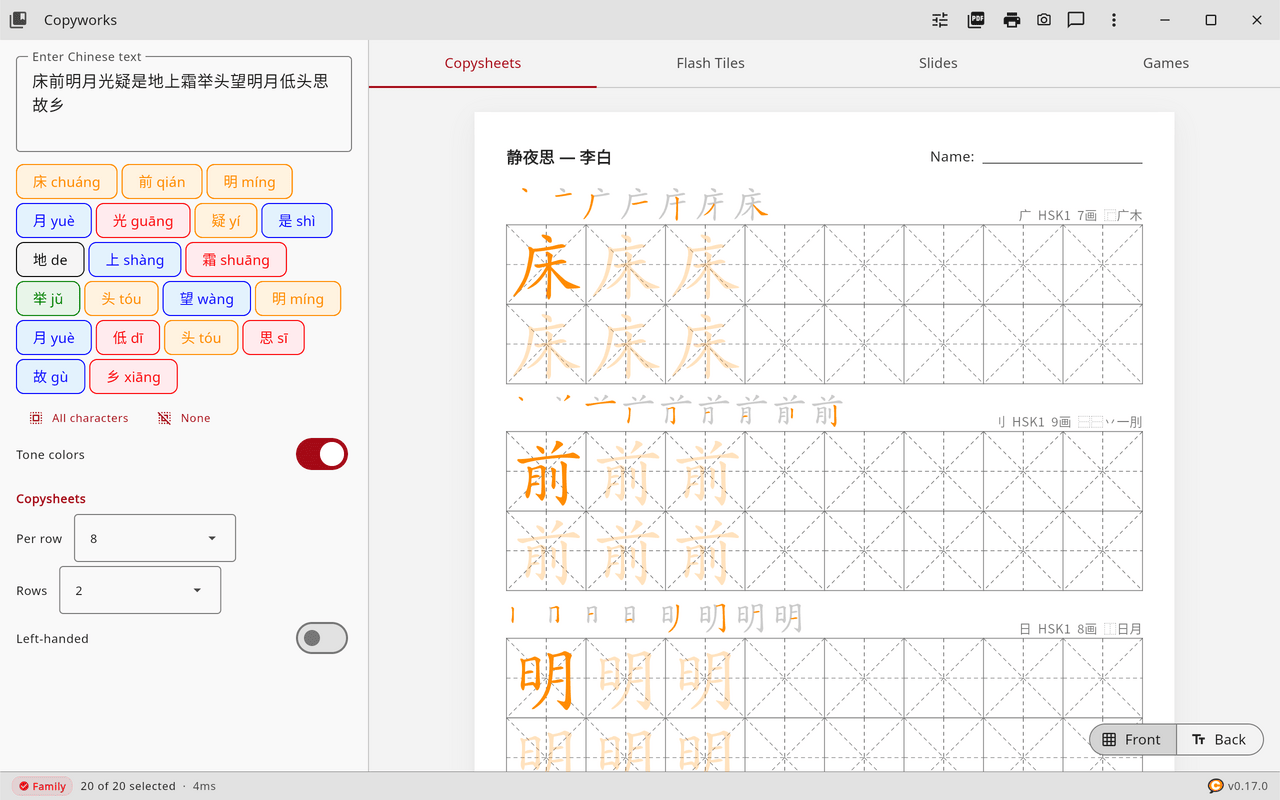
The window has two panels. The left one holds the text box, the character chips and the settings for the current tab. The right one shows a live preview of the worksheet, with a tab bar for Copysheets, Flash Tiles, Slides and Games.
The title bar shows the app name, or the name of the lesson you loaded, and these buttons.

| Button | Icon | What it does |
|---|---|---|
| Library | Book, top left | Opens the content library. |
| Format | Sliders | Opens the format settings. |
| Save PDF | Saves the current worksheet as a PDF (Ctrl+Shift+S). | |
| Printer | Opens the print dialog (Ctrl+P). | |
| Save Slides | Download, Slides tab only | Saves the slides as PNG images. |
| Screenshot | Camera | Saves a picture of the window (F12). |
| Send Feedback | Speech bubble | Opens the feedback form. |
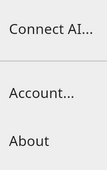
| More | Three dots | Connect AI, Account and About. |
On a phone or tablet
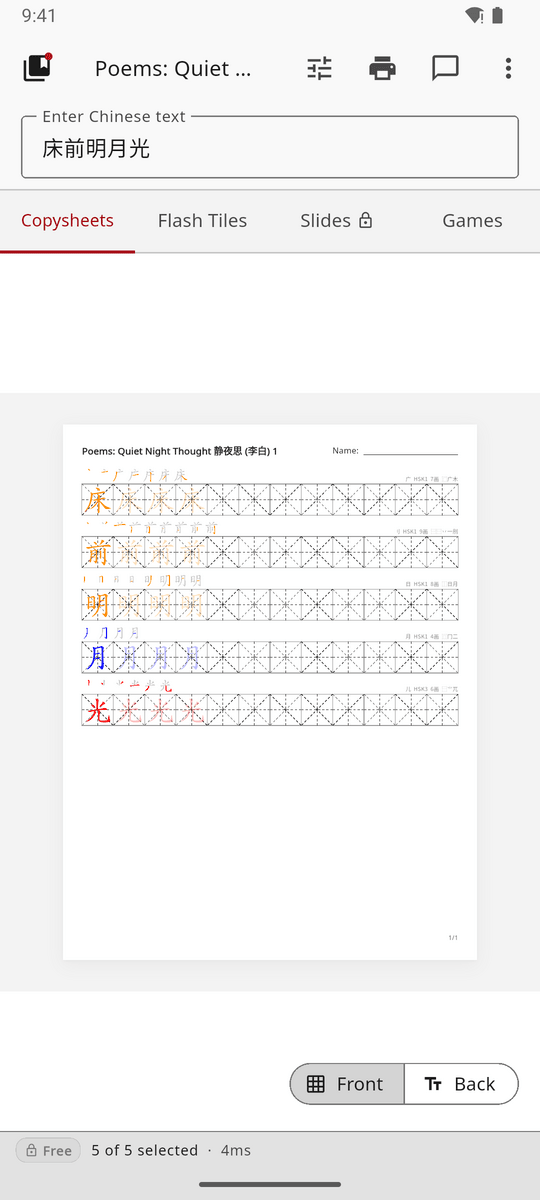
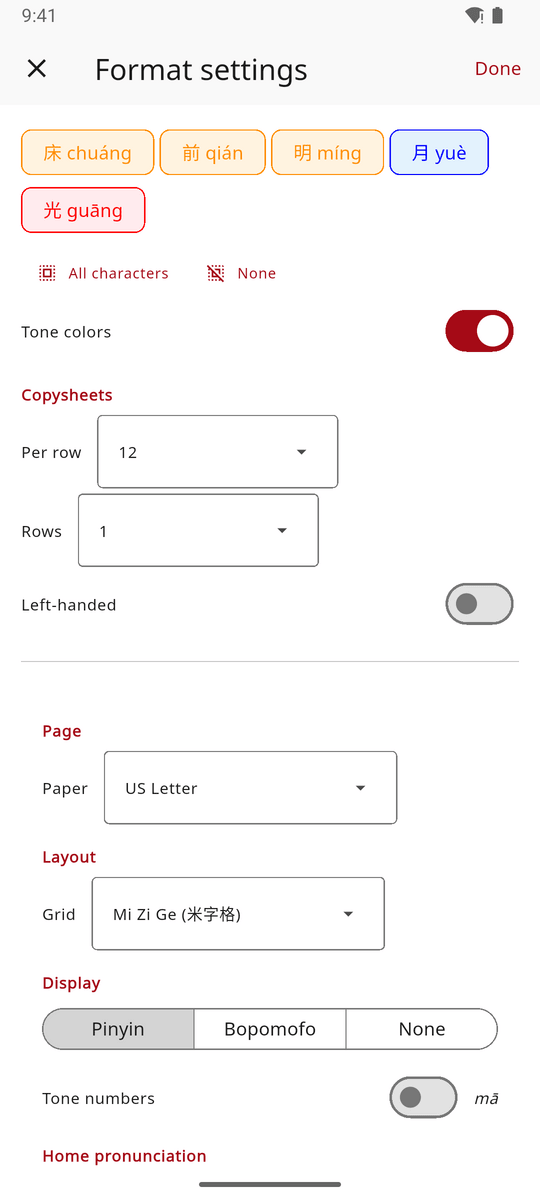
On a phone the text box is smaller, and the character chips and every format setting move to a Format settings page that opens from the toolbar. The three-dot menu holds Save PDF, Account and About, because connecting AI assistants is a desktop feature.
Status bar
The bar along the bottom shows your plan (Free, Family, or the days left in a trial), and tapping it opens Account. It also shows how many characters are selected, such as “5 of 8 selected”. When a Cantonese or Hokkien pronunciation is active it shows 粵語 or 閩南語, and when the dictionary language is other than English it shows its code, such as JA or DE. The version number sits at the right, and tapping it opens About.
The worksheet
How a copysheet works
Each character gets a block of practice cells. The first cell shows the character at full strength as the model to copy. The next few cells, about a quarter of the row, show it faded, so that your child can trace it before writing alone, and the remaining cells are left empty for free practice. When a block has more than one row, each further row begins with a faded cell. In left-handed mode the pattern runs the other way, with the model on the right.
┌─────┬─────┬─────┬─────┬─────┬─────┬─────┬─────┐
│ 你  │ 你  │ 你  │     │     │     │     │     │
│full │faded│faded│empty│empty│empty│empty│empty│
└─────┴─────┴─────┴─────┴─────┴─────┴─────┴─────┘
Above each character the worksheet shows its stroke order, building the character up one stroke at a time, with the newest stroke in color and the earlier strokes in grey. At the right of that row Copyworks prints the radical, the HSK level, the number of strokes and the components. The pronunciation and the meaning appear on the back of the sheet, the answer key.
Grid types
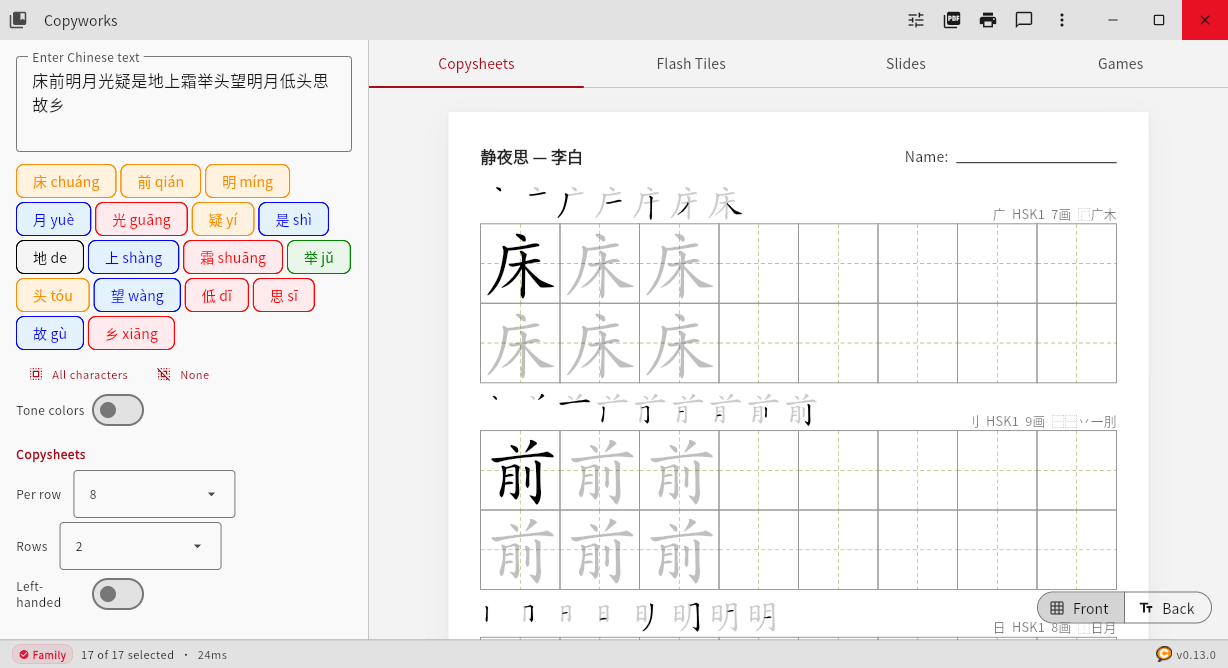
Every cell carries guide lines that help with the proportions of a character.
| Grid | Chinese | Pattern | Best for |
|---|---|---|---|
| Mi Zi Ge | 米字格 | Star | The most popular grid, with diagonals and midlines. |
| Tian Zi Ge | 田字格 | Cross | A simple grid of two midlines, good for beginners. |
| Hui Gong Ge | 回宫格 | Inner square | Helps to centre the character. |
| No grid | Plain | A cleaner page for more advanced writers. |
Character modes
Characters can be Solid, which is the default, or Outline, which draws the shape of each character with a white fill for colouring in or tracing. The mode applies on screen and in the printed PDF alike.
Tone colors
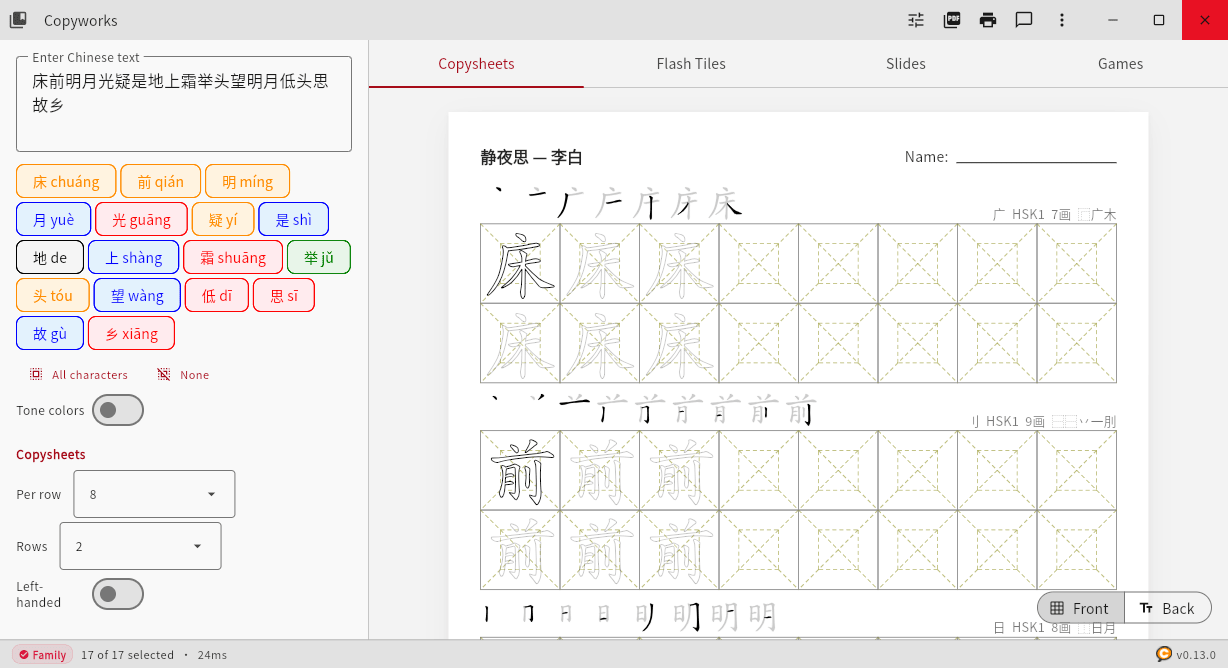
Tone colors are on by default and can be turned off with the Tone colors switch in the left panel. While they are on, each character is colored by its tone in both modes, which makes the pattern of tones visible at a glance. A legend of the colors is printed on the back of each PDF worksheet.
| Tone | Contour | Color |
|---|---|---|
| 1 | High level | Red |
| 2 | Rising | Dark orange |
| 3 | Dipping | Green |
| 4 | Falling | Blue |
| 5 | Neutral | Black |
With Cantonese or Hokkien chosen, the tone colors follow that dialect’s tones.
Fonts
Copyworks includes seven fonts for Chinese: AR PL UKai CN, which is the default, LXGW WenKai, Yozai, and Noto Sans and Noto Serif CJK in Simplified and Traditional forms. It also lists the Chinese fonts already installed on your computer. The default font is free, the others come with the Family plan, and you choose among them in Format, under Font.
Front and back
Every tab has a Front and Back switch at the bottom right of the preview.
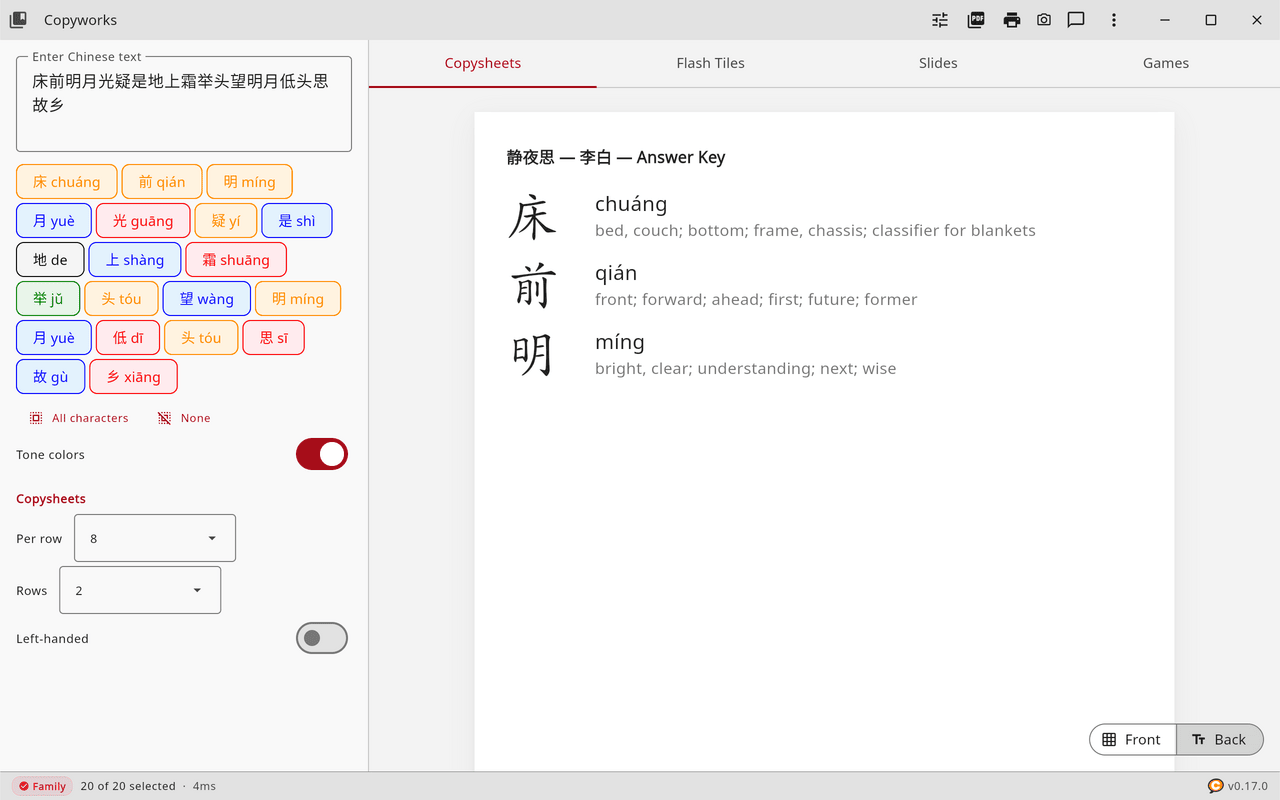
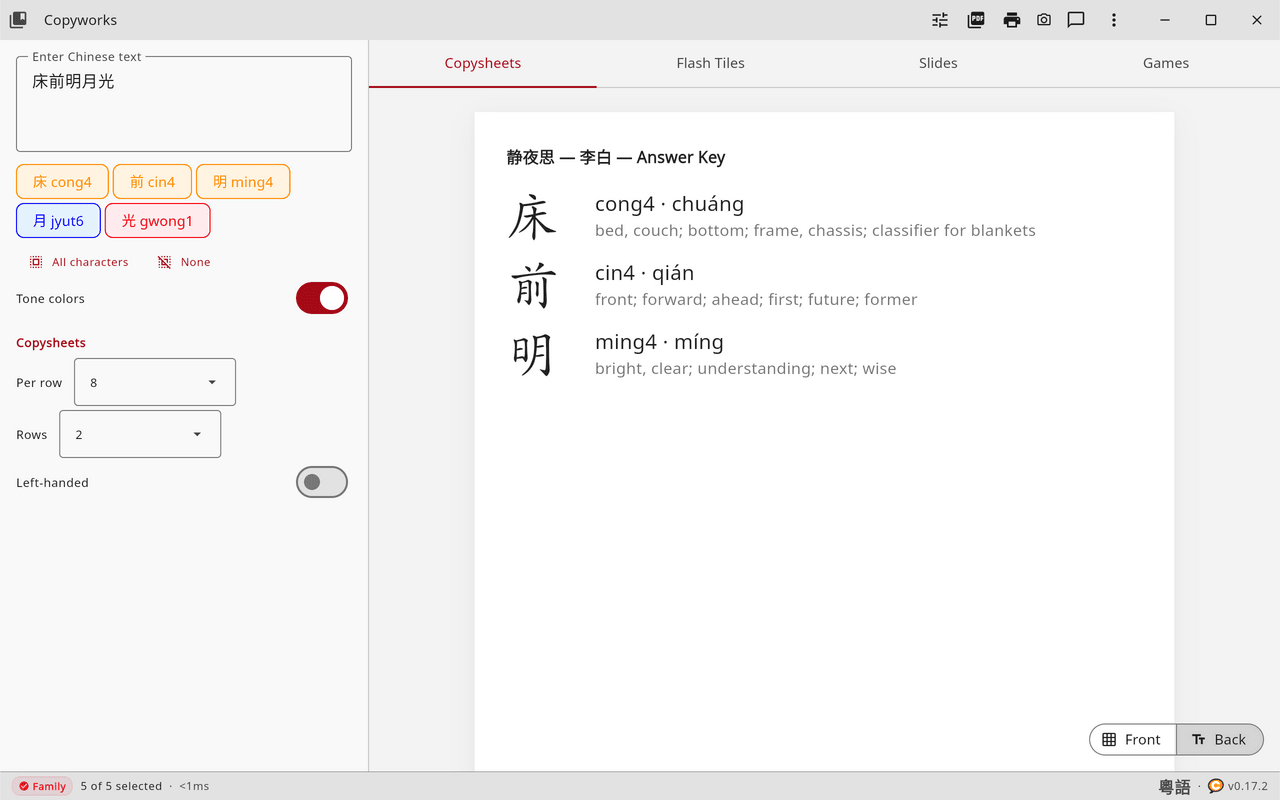
- Copysheets. The front is the practice sheet. The back is the answer key, with each character, its pronunciation and its meaning.
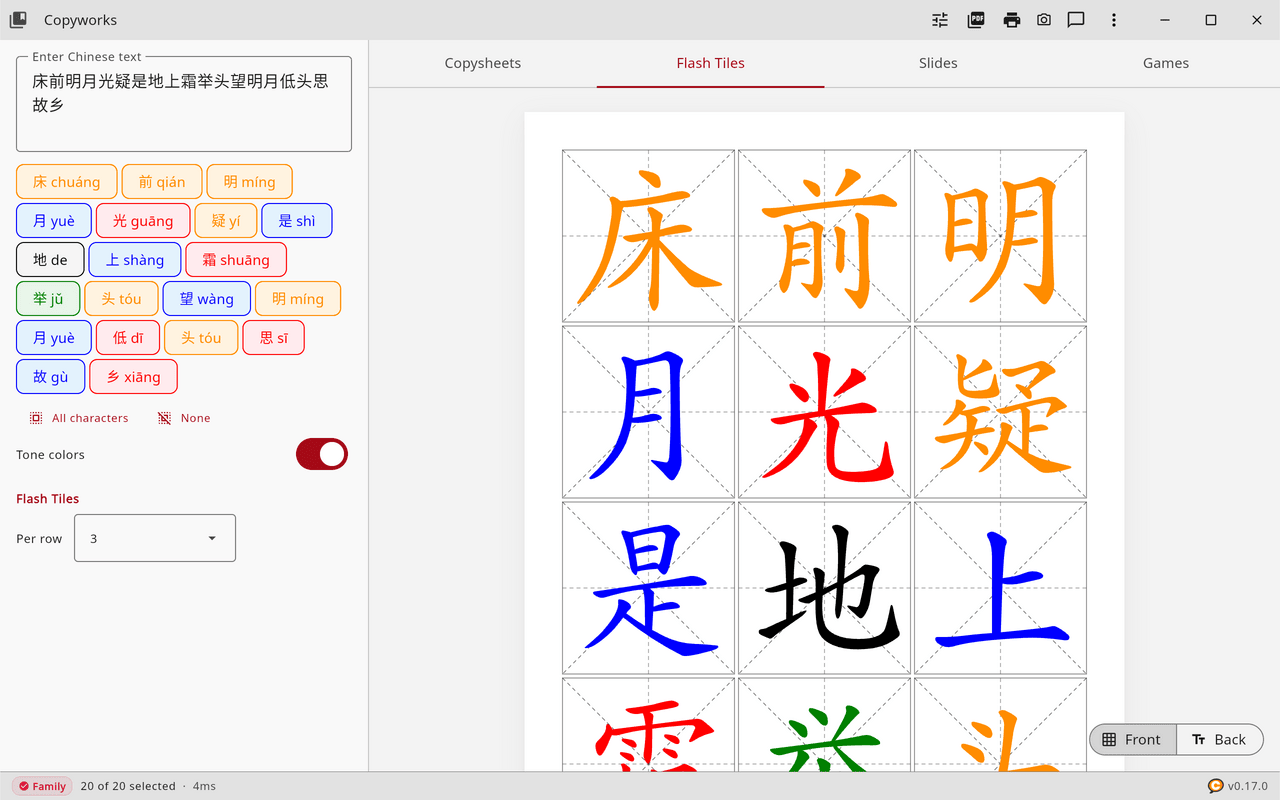
- Flash Tiles. The front shows the characters in their grids. The back shows the pronunciation, the meaning, the radical, the HSK level and the stroke count, with the columns reversed so that the two sides line up when printed on both sides of the paper.
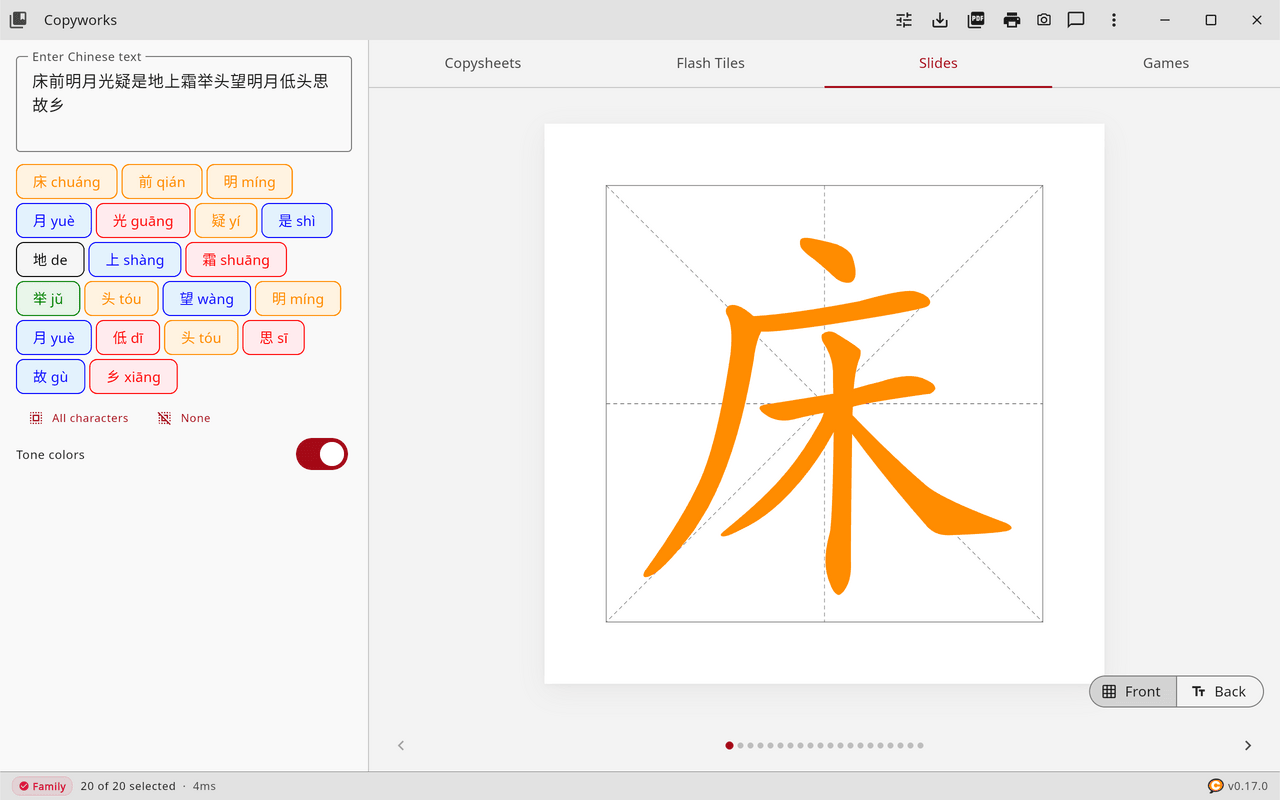
- Slides. The front shows one large character. The back gives its stroke order, pronunciation, meaning, radical and stroke count.
The Definition switch in Format decides whether the meaning appears on these backs. With it off, the backs show only the character and its pronunciation, which suits practice in saying a word without translating it.
Choosing characters
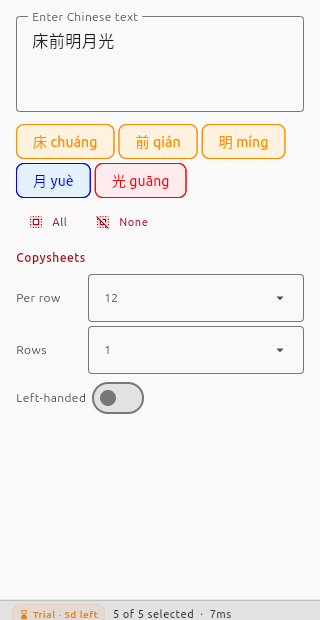
Below the text box, each different character in your text appears as a chip with its pronunciation. Tap a chip to leave that character out of the worksheet, and tap it again to bring it back. A selected chip has a colored border and a pale background, and a chip that is left out has a grey outline. The All characters and None buttons select or clear every chip at once. This lets you pick the hardest characters out of a long poem for extra practice.
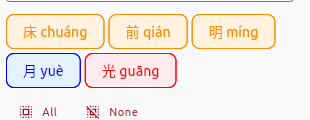
On the Free plan a worksheet holds up to eight characters. Any further characters appear as a locked “+N more” chip, which explains what the Family plan adds.
Tabs
Copysheets
The practice sheet described above, the main kind of worksheet for daily copywork. In the left panel, Per row sets the number of cells in each row, from 3 to 20 (12 by default), and Rows sets how many rows each character receives, from 1 to 10 (1 by default). Left-handed reverses the pattern.
Flash Tiles
A grid of cards to print and cut apart for study or games. Per row sets from 2 to 9 tiles across the page, with 4 by default.
Slides
Full-page cards with one character each, which suit a projector, a classroom wall or a tablet. Use the arrows or swipe to move between them. Slides come with the Family plan, and Save Slides exports them as square PNG images of 512, 1024, 1920 or 3840 pixels.
Games
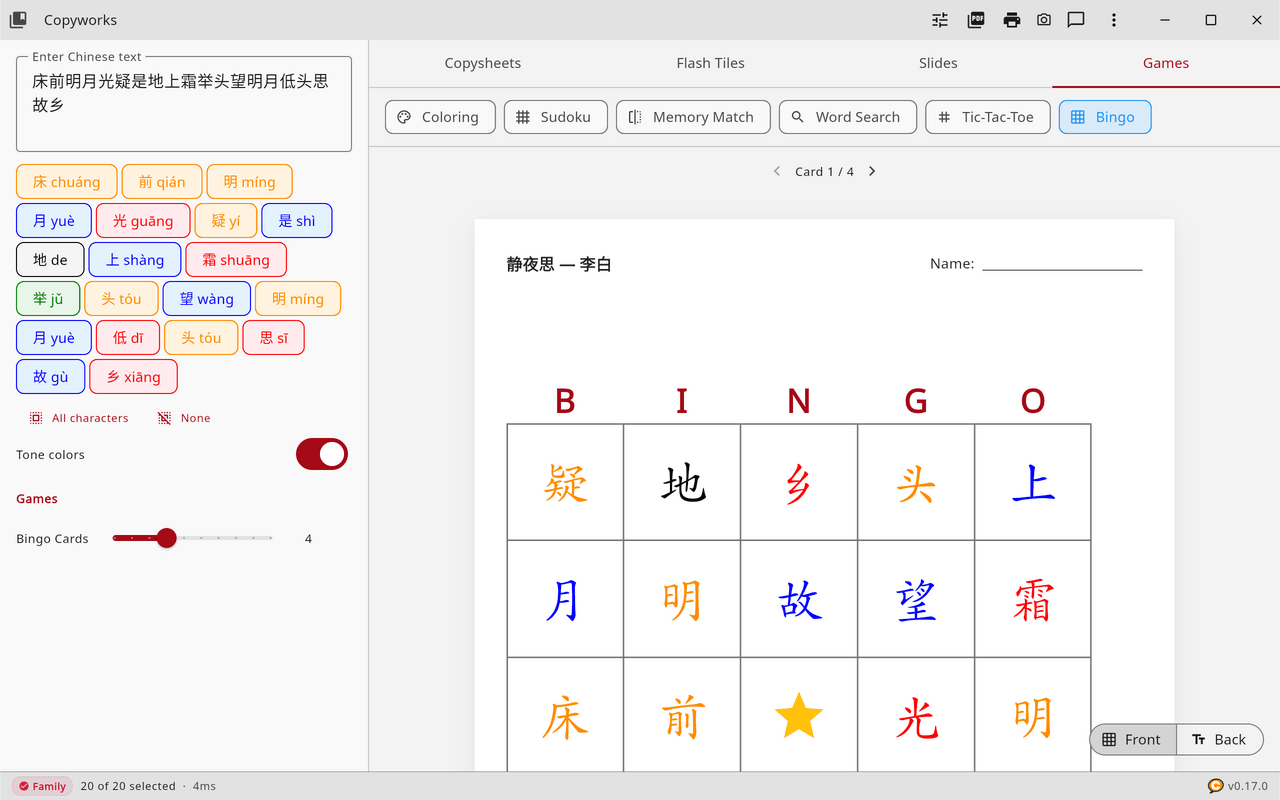
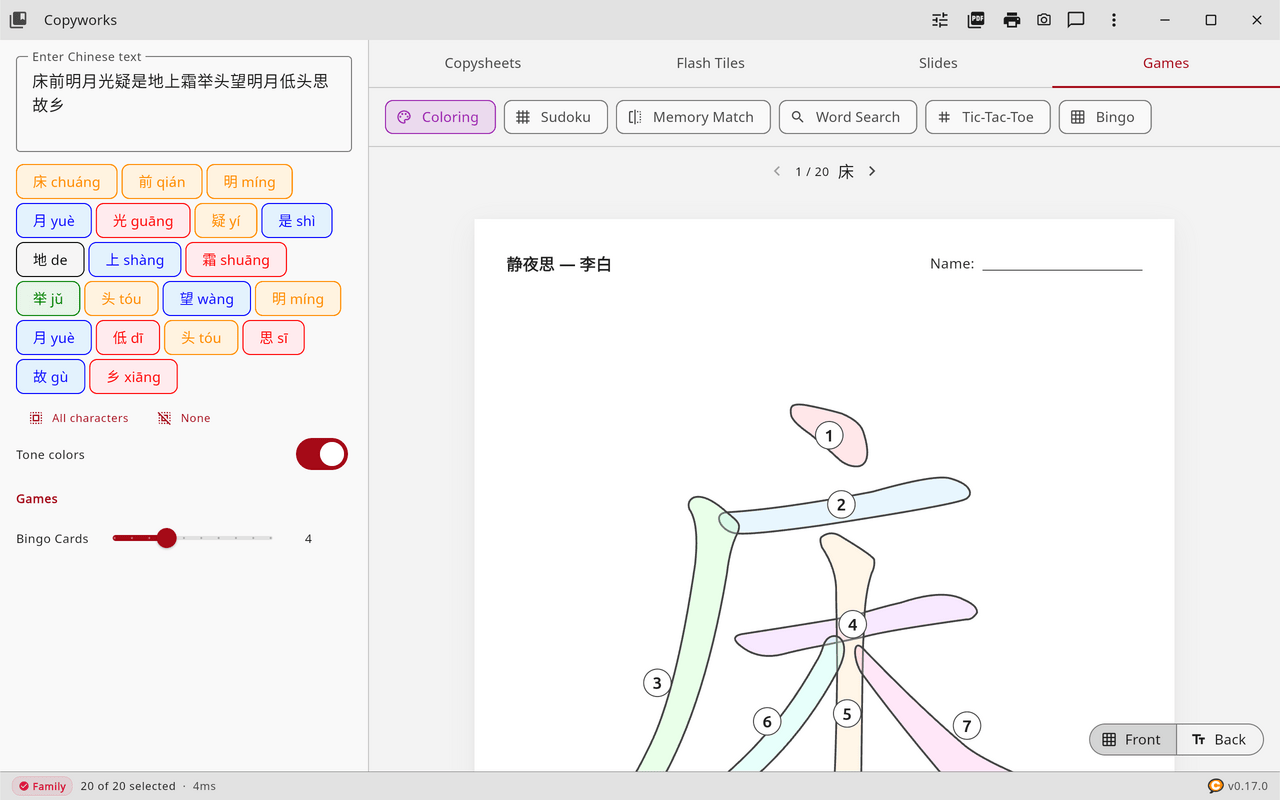
Copyworks makes six printable games, all of them free, from the characters you choose. Each game needs a few characters to work with.
| Game | Needs at least |
|---|---|
| Coloring | 1 character |
| Tic-Tac-Toe | 2 characters |
| Sudoku | 4 characters |
| Memory Match | 4 characters |
| Word Search | 4 characters |
| Bingo | 5 characters |
Coloring prints a large character with every stroke numbered in writing order. For Bingo you can print from 1 to 10 different cards, and every game prints with an answer key on the back.
The library
Tap Library to browse more than 1,700 lessons in 117 categories, arranged by course and theme, and load one to replace the text and set the worksheet title. The library also holds New, which clears the worksheet, Open, which loads a saved text file of up to 500 characters, and Save, which saves your text as a file.
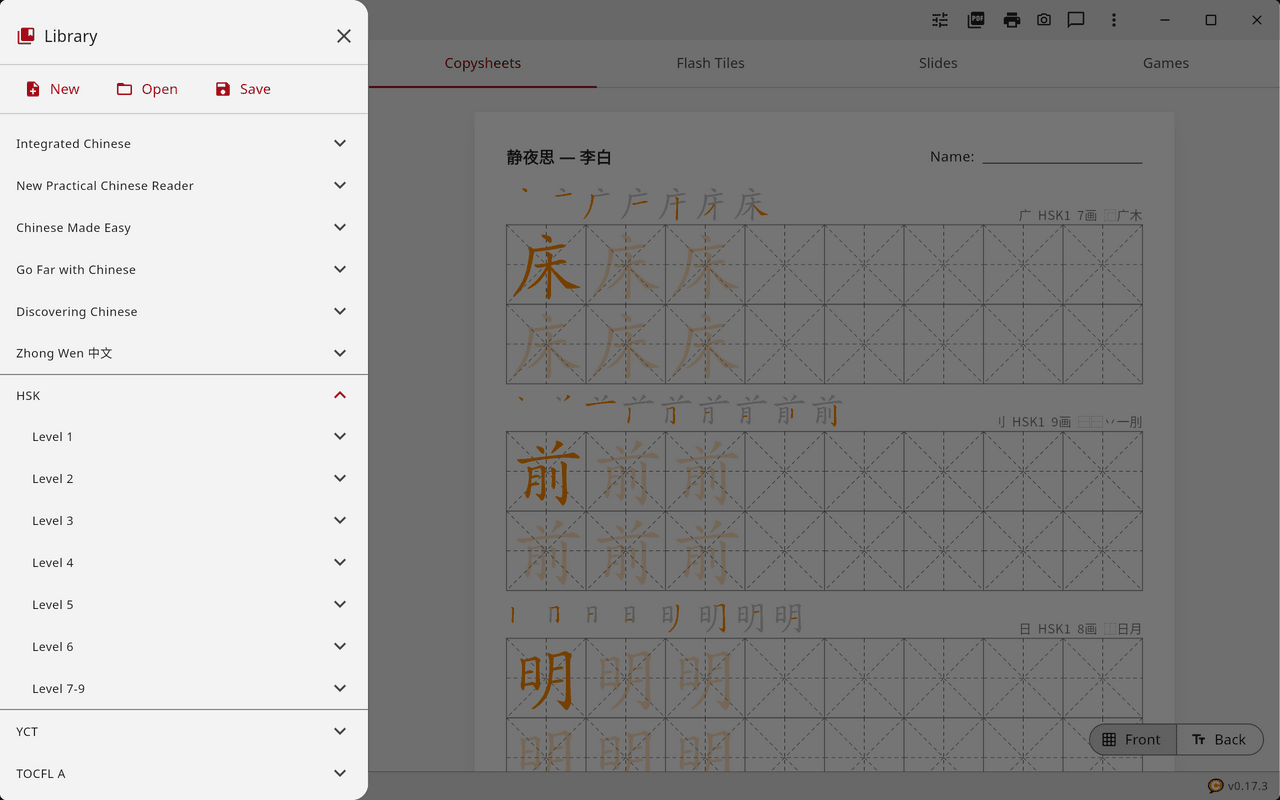
| Collection | Lessons | Script | Contents |
|---|---|---|---|
| Textbooks | 344 | Simplified | 33 courses: Integrated Chinese, New Practical Chinese Reader, Chinese Made Easy, Go Far with Chinese, Discovering Chinese and Zhong Wen |
| HSK 1–6 | 228 | Simplified | 38 lessons for each level |
| HSK 7–9 | 300 | Simplified | The advanced band |
| YCT 1–4 | 85 | Simplified | Youth Chinese Test |
| TOCFL Band A | 116 | Traditional | Taiwan’s proficiency test |
| DeFrancis BCR | 28 | Traditional | Beginning Chinese Reader |
| Bible (CUV) | 242 | Simplified and Traditional | Ten themes, with book names and key characters |
| Tang poems | 80 | Simplified | Twenty poems, one line per lesson |
| Names | 20 | Simplified | Surnames (百家姓), boys’ names and girls’ names |
| Idioms | 10 | Simplified | Four-character idioms (成语) |
| Vocabulary | 13 | Simplified | Fruits, animals and vehicles |
| Kangxi radicals | 27 | Kangxi forms | The 214 radicals |
| Food | 250 | Simplified | Fifteen sections of a restaurant menu |
| Cantonese and Hokkien | 12 | Traditional | Yum cha and night-market words |
On the Free plan the library opens HSK 1, YCT 1, the Bible lessons, five Tang poems, the surnames, the idioms, the animals and the Kangxi radicals, and the Family plan opens every lesson.
Format settings
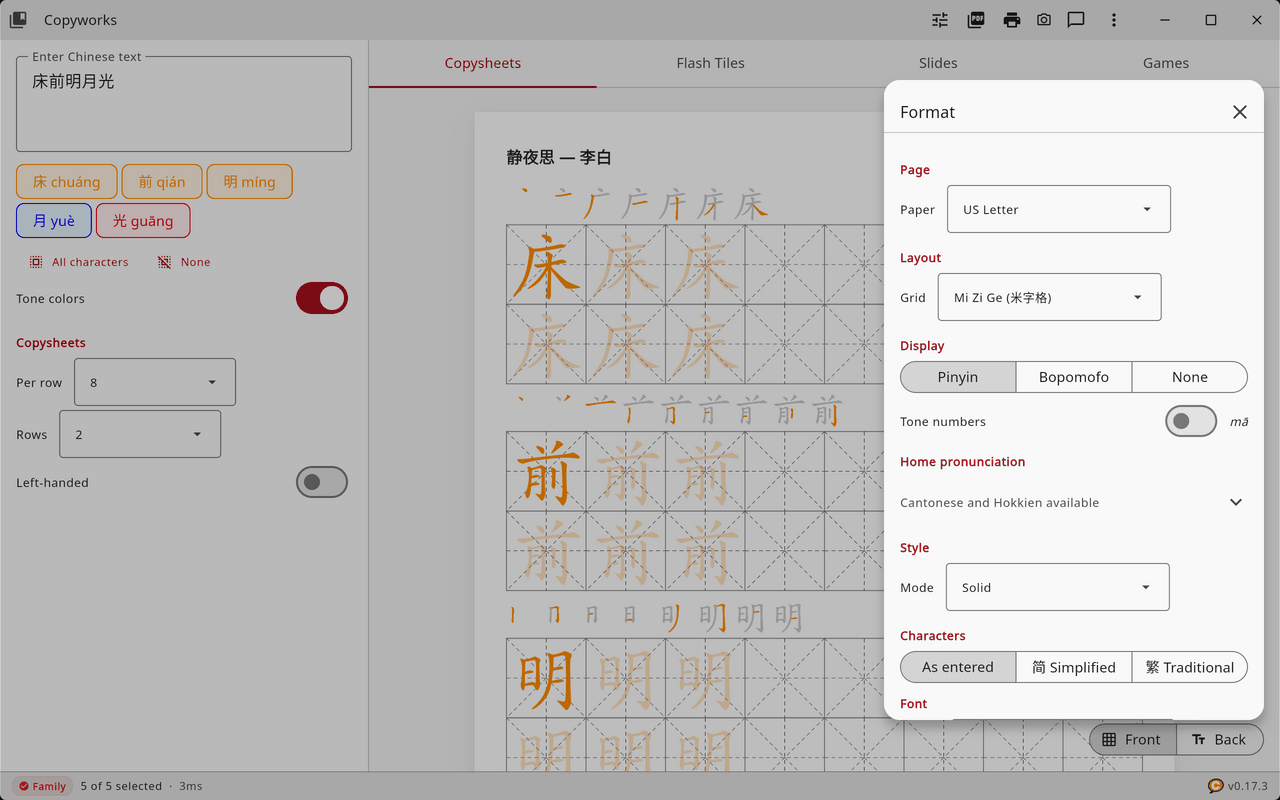
Tap Format to open the format settings, which are arranged in these sections.
- Page. Paper size: US Letter (the default), A4 or US Legal.
- Layout. The grid type.
- Style. Solid or Outline.
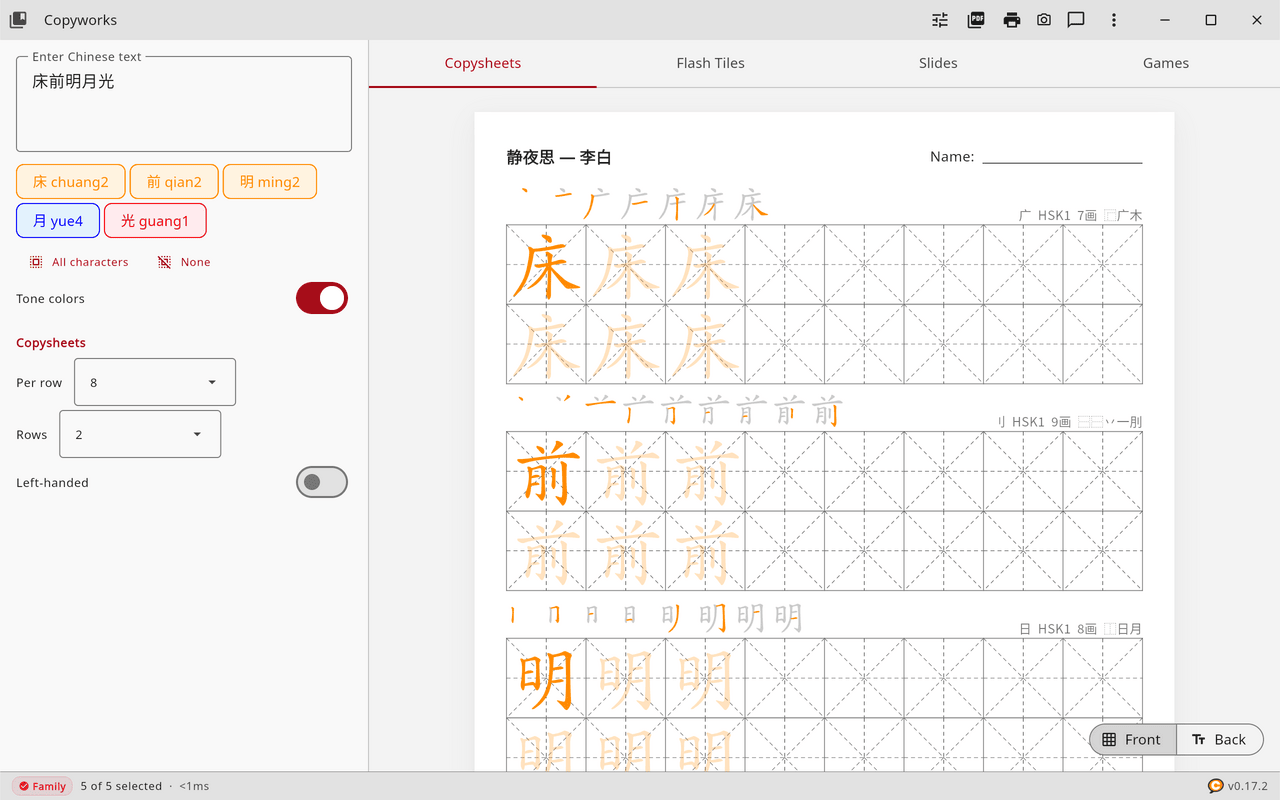
- Display. Pinyin (the default), Bopomofo or None for the pronunciation, a Tone numbers switch that writes ma1 in place of mā, and the Definition switch for the backs.
- Characters. As entered, Simplified (简) or Traditional (繁).
- Dictionary. The language for meanings and for the menus.
- Font. The font family.
- Cantonese and Hokkien available. Expand it to choose a home pronunciation.
Languages
The menus and the dictionary come in 26 languages, all included in the app: Arabic, Czech, Dutch, English, Estonian, Filipino, French, German, Greek, Hindi, Hungarian, Indonesian, Italian, Japanese, Korean, Malay, Persian, Polish, Portuguese, Romanian, Russian, Spanish, Swedish, Thai, Turkish and Vietnamese.
When you change the language in Format, under Dictionary, the menus switch at once, and the meanings on the backs of sheets, tiles and slides follow the new language, while the chips keep showing each character with its pronunciation. In Arabic and Persian the menus read from right to left, and the Chinese grids, stroke order, chips and flash tiles keep their left-to-right order.
Cantonese and Hokkien
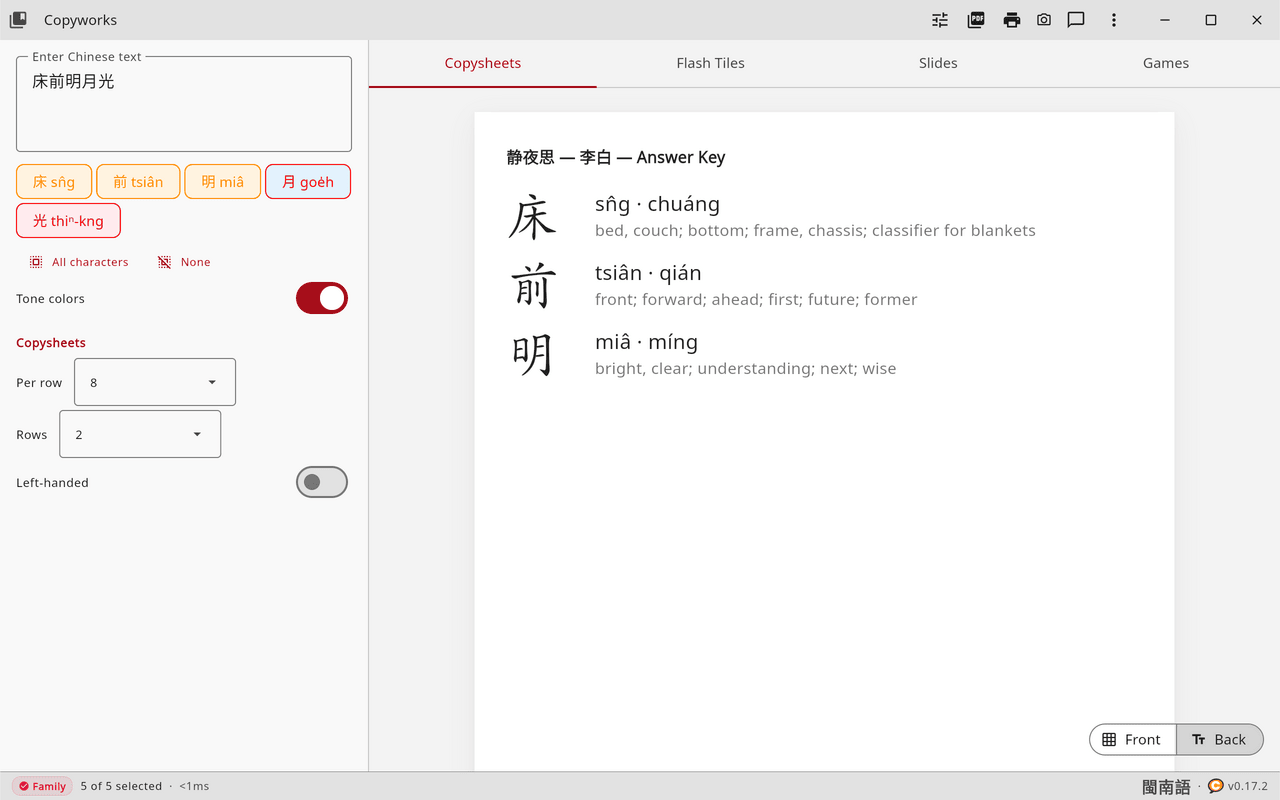
In Format, expand Cantonese and Hokkien available and choose a home pronunciation. Cantonese can be written in Jyutping (粵拼), the modern standard, or in Yale (耶魯), which is common in older textbooks, and Hokkien is written in Pe̍h-ōe-jī (白話字).
The chips then show the dialect spelling, the status bar shows 粵語 or 閩南語, and the answer key gives the dialect pronunciation beside the Mandarin pinyin. Choosing a dialect also turns tone colors on, since its tones are hard to follow without them, and the colors follow that dialect’s tones.
Printing and PDFs
Print opens the system print dialog with a preview, and Save PDF saves the worksheet through a file dialog.
Worksheet PDFs alternate front pages and answer-key pages, so that they can be printed on both sides. Each front page carries a small barcode with a sheet code and the date, made from a hashed device code rather than the device’s own identifier. Every PDF, on every plan, also carries a crimson QR seal in the footer, and none is ever watermarked.
Keyboard shortcuts
| Shortcut | Action |
|---|---|
| Ctrl+N | New worksheet |
| Ctrl+O | Open a saved worksheet |
| Ctrl+S | Save the worksheet text |
| Ctrl+P | |
| Ctrl+Shift+S | Save as PDF |
| F12 | Screenshot |
Hold Ctrl and turn the mouse wheel to zoom the preview, from half size to three times its size.
Plans
| Free | Family | |
|---|---|---|
| Characters per worksheet | Up to 8 | Unlimited |
| Grid types, Solid and Outline, tone colors, stroke order | Included | Included |
| Copysheets, flash tiles and the six games | Included | Included |
| PDF export and printing | Included | Included |
| Slides and slide images | Included | |
| Fonts | AR PL UKai CN | All seven, and installed fonts |
| Library | HSK 1, YCT 1, Bible, five poems, surnames, idioms, animals, radicals | All 1,700+ lessons |
| Languages, Cantonese and Hokkien | All 26 | All 26 |
| Price | Free | $4 a month, $29 a year, or $49 once |
Prices are in US dollars, plus tax where applicable.
A 30-day trial of every Family feature is offered when you first reach a locked one, and it needs no card. Copies from the App Store offer a free first month on the subscriptions instead, through Apple. Plans are on the Copyworks page.
Account
Open Account from the plan badge in the status bar, or from the three-dot menu. If you bought Copyworks on our website, enter the email address you used and tap Sign In. If you bought it in the App Store, the Mac App Store or Google Play, buy or renew in the app, and on a new device tap Restore Purchases. Copyworks checks your plan each time it starts and whenever its window comes back into focus, so renewals and cancellations take effect without any further step.
Privacy
About, in the three-dot menu, has a Privacy section with a Send usage data switch beside links to the privacy policy and the terms of use. In the European Economic Area, the United Kingdom and Switzerland, Copyworks sends nothing until you turn that switch on. Elsewhere it sends usage data, as the privacy policy describes, and the switch turns it off. Anywhere Copyworks cannot tell the country, it treats it as outside the EEA, the UK and Switzerland.
The same section has a Let AI agents capture this window switch, which is off until you turn it on. While it is off, an AI assistant connected to Copyworks cannot take pictures of the window.
Connecting AI assistants
Copyworks runs a small server on your computer that lets an AI assistant work the app for you. You can ask, for example, for HSK Level 1 worksheets with tone colors, and the assistant loads the lessons, sets the format and saves the PDFs while you watch the preview.
- Open the three-dot menu and choose Connect AI....
- Copyworks lists the AI clients it finds on your computer, such as Claude Code, Cursor and VS Code.
- Click Connect beside your client, then restart the client.
The Connect AI view also shows whether the server is running and whether any client needs an Update after the access token has changed. It has the same switch for letting AI agents capture the window. Developers will find the server’s address, the access token and the full list of tools on the Developers page.
Where files are kept
| What | Where |
|---|---|
| Screenshots | Pictures/Copyworks/screenshots in your home folder |
| PDFs saved by an AI assistant | Documents/Copyworks in your home folder |
| Slide images | Pictures/Copyworks/<lesson> in your home folder |
| Saved worksheets | Wherever you choose |
| App data | Linux ~/.loqu8/data, macOS ~/Library/Application Support/Loqu8/data, Windows %LOCALAPPDATA%\Loqu8\data |
Troubleshooting
Characters show as boxes
Copyworks draws characters with its own fonts, so if you see boxes, update to the latest version and tell us through Send Feedback.
macOS says Copyworks cannot be opened
Open System Settings, then Privacy & Security, and click Open Anyway beside the message about Copyworks.
Windows shows a SmartScreen warning
Click More info, then Run anyway. The installer is signed by Loqu8, Inc., and the warning becomes rarer as more people install it.
An AI assistant cannot reach Copyworks
Make sure Copyworks is open on the computer, since the server runs inside it. A refusal with code 401 or 403 means the client holds an old token, and Update in Connect AI fixes it. Another program may also be using port 8889.
Pronunciations or meanings are missing
The character data may be damaged, and reinstalling Copyworks restores it.
Support
Write to support@loqu8.com, or use Send Feedback in the app.